Open Game Settings
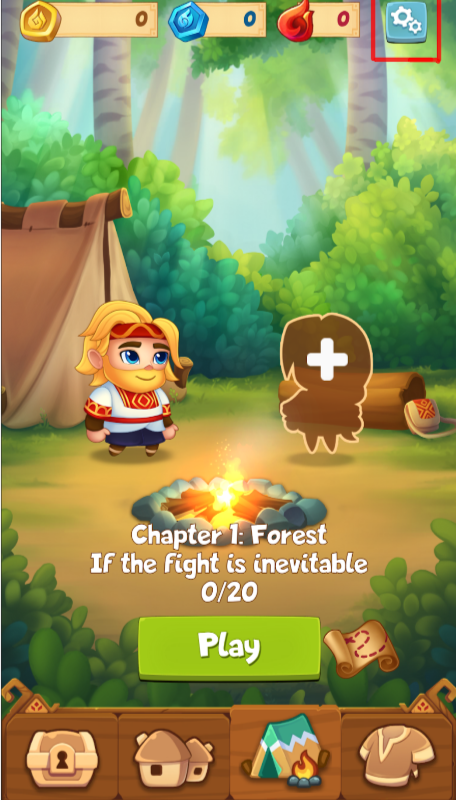
In the game’s main menu, locate the gear icon in the top-right corner of the screen.
Tap this icon to open the settings menu.
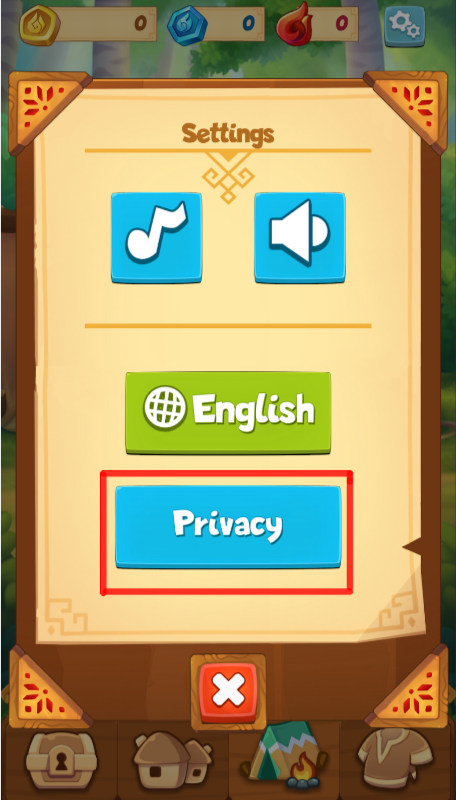
Go to the Privacy Menu
In the settings menu, tap on the “Privacy”.
Account Deletion Process
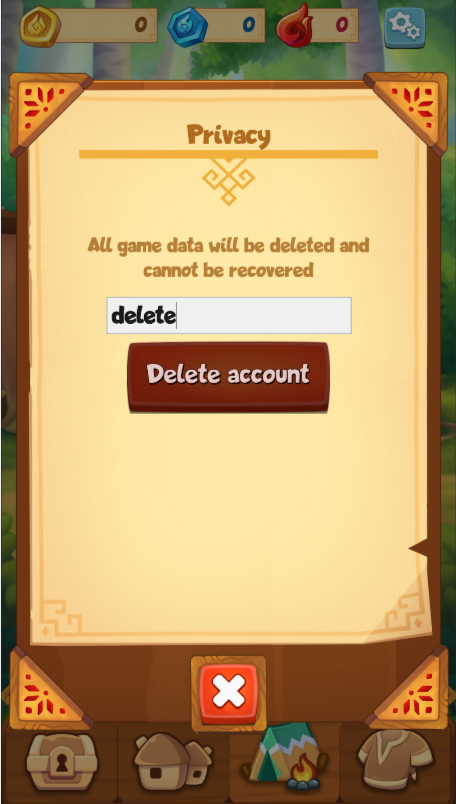
In the «Privacy» section, find the input field “Enter ‘delete’”.
Enter the word “delete” (without quotes) in the input field.
Once you type the word, the “Delete Account” button will become active.
Confirm Deletion
Tap the “Delete Account” button.